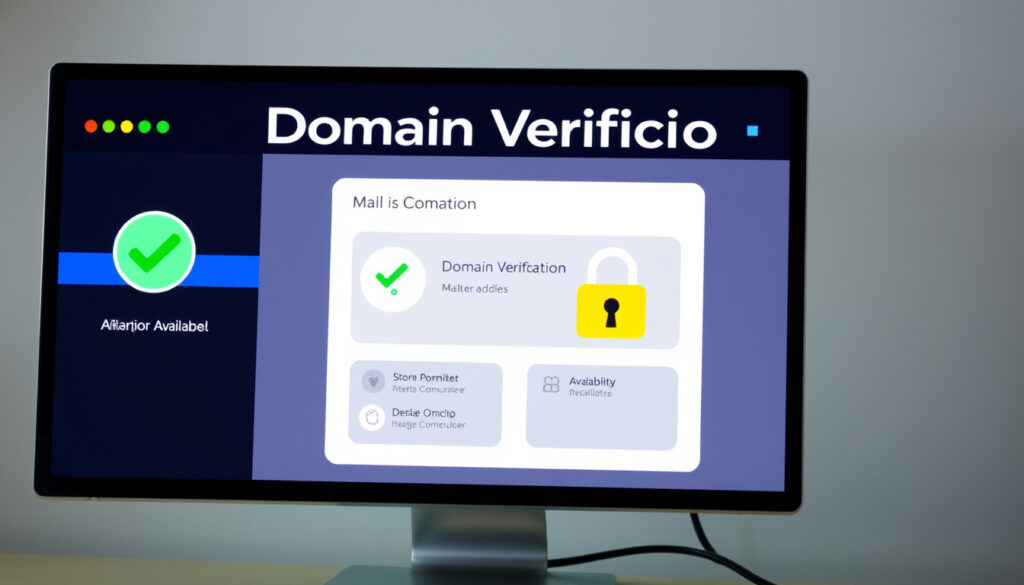
Check Domain: How to Verify Ownership, Availability & Security
Anyone who’s ever typed a domain into a browser has bumped into the most basic question: is this site real? A quick WHOIS lookup reveals who owns a domain, when it was registered, and whether it’s worth trusting — with 359.8 million domains registered globally as of Q3 2024, checking domains is a basic safety habit.
Global domain registrations (Q3 2024): 359.8 million ·
Most common TLD: .com (46.5%) ·
Average domain registration cost: $10–$15/year ·
WHOIS lookups daily: 10 million+
Quick snapshot
- WHOIS data is public for most domains (GoDaddy WHOIS Domain Lookup)
- Domain registration is managed by ICANN accredited registrars (ICANN archive)
- ICANN requires accurate WHOIS information (ICANN Whois Task Force report)
- Exact number of fake domains used in phishing (U.S. Government Accountability Office)
- Legality of domain flipping varies by jurisdiction (USPTO)
- ICANN Whois Task Force report finalized (2003-02-06) (ICANN archive)
- GAO report on false WHOIS contact information (2005-11-04) (U.S. Government Accountability Office)
- Privacy services will continue to obscure registrant data (CheckHost WHOIS)
- Fake domain detection tools will integrate more signals (WhoisXML API WHOIS Lookup)
The scale of domain registration is massive, but the cost is low, and data is accessible — though privacy layers are becoming the norm.
| Metric | Value |
|---|---|
| Total domains registered | 359.8 million |
| New registrations per year | ~30 million |
| Average registration cost | $10–$15/year |
| Free WHOIS lookup services | 10+ major tools |
How can I check a domain?
Using WHOIS lookup
- WHOIS lookups can reveal a domain’s registration, creation, expiration, registrar, nameservers, and sometimes registrant contact details (GoDaddy WHOIS Domain Lookup).
- WHOIS records commonly show registrar name, registration date, expiration date, last updated date, nameservers, and EPP status codes (CheckHost WHOIS).
- EPP status codes such as clientTransferProhibited indicate a transfer lock, serverHold indicates registry suspension, and pendingDelete indicates the domain is close to release (CheckHost WHOIS).
The catch: privacy services like WhoisGuard and Domains By Proxy are standard practice, not inherently suspicious (CheckHost WHOIS). If the registrant contact is hidden, you’re not stuck — reverse WHOIS and DNS records can help move closer to the real owner (Shopify Blog).
Practical WHOIS workflow:
- Find a WHOIS lookup tool (e.g., GoDaddy WHOIS, who.is, WhoisXML API).
- Enter the domain name and run the query.
- Inspect the privacy status — if the registrant is hidden, note the proxy contact.
- Cross-check with other signals: creation date, nameserver history, and registrar reputation.
Free domain check tools
- Domain check shows availability and registration details (GoDaddy WHOIS Domain Lookup).
- Tools like who.is, GoDaddy WHOIS are free (WhoisXML API WHOIS Lookup).
- WHOIS lookup tools often query the correct WHOIS server automatically for the specific TLD or IP range (Pentestas WHOIS Lookup).
What information does a domain check reveal?
- Registrant details, administrative and technical contacts, nameservers, registration dates, and registrar information (Pentestas WHOIS Lookup).
- A practical WHOIS workflow: find a lookup tool, search the domain, inspect privacy status, then use registrant or proxy contacts if available (Shopify Blog).
The implication: WHOIS is the starting point for domain verification, but privacy layers require further investigation.
How to check if a domain is real or fake?
Look for domain spoofing signs
- Fake domains often mimic legitimate domains (WhoisXML API WHOIS Lookup).
- Look-alike tactics include typosquatting (WhoisXML API WHOIS Lookup).
- A WHOIS lookup can surface suspicious registration patterns or malicious nameservers associated with phishing or fraud (WhoisXML API WHOIS Lookup).
Check domain creation date
- Very recent registration, too-frequent updates, and other anomalies in WHOIS records can signal email spoofing or business email compromise fraud (WhoisXML API WHOIS Lookup).
- WHOIS data can be used to verify registration details and assess a domain’s legitimacy and ownership (GoDaddy WHOIS Domain Lookup).
Verify registrar reputation
- Check WHOIS for suspicious details such as unknown registrars or suspicious nameservers (WhoisXML API WHOIS Lookup).
- Unexpected nameserver changes can indicate a possible security incident or unauthorized DNS modification (CheckHost WHOIS).
A domain created in 2005 with a stable nameserver history is far less risky than one registered last week with a privacy-shielded owner and suspicious NS records. Security teams: cross-reference WHOIS creation dates with known phishing campaigns.
The pattern: real domains tend to have older creation dates, consistent nameservers, and registrars that appear on ICANN’s accredited list. Fake domains cluster around recent dates with proxy registrants and nameservers in high-risk TLDs.
How do I check my current domain?
Find your domain registrar
- Log into your registrar account (GoDaddy WHOIS Domain Lookup).
- Use whois to see registration (GoDaddy WHOIS Domain Lookup).
- Verify expiration date (GoDaddy WHOIS Domain Lookup).
Check domain ownership details
- Public WHOIS records may be used to confirm who owns a domain when privacy protection is not enabled (Shopify Blog).
- Reverse WHOIS and supporting records such as DNS or SSL can help move closer to the real owner when the WHOIS record is obscured (Shopify Blog).
Manage domain settings
- Domain ownership verification services may use email verification, DNS CNAME verification, or file upload verification to prove control of a domain (Whois.com management KB).
- Log into your registrar account to manage settings and check renewal status (GoDaddy WHOIS Domain Lookup).
What this means: proactive domain management prevents expiration and fraud.
What is domain flipping and is it illegal?
Definition of domain flipping
- Domain flipping is buying and selling domains for profit (USPTO).
- Not illegal unless cybersquatting or trademark infringement (USPTO).
- ACPA law protects trademark owners (USPTO).
Legal vs illegal domain flipping
- Domain flipping is buying and selling domains for profit (USPTO).
- Not illegal unless cybersquatting or trademark infringement (USPTO).
Cybersquatting laws
- ACPA law protects trademark owners (USPTO).
- ICANN requires accurate WHOIS information (ICANN archive).
Domain flippers argue they add value by holding desirable names; trademark holders argue these same names were registered in bad faith. For buyers in the UK or EU, the line is drawn at intent: if the domain was registered solely to resell to a trademark owner, that’s cybersquatting under the ACPA (USPTO).
The implication: legitimate domain investors register generic, descriptive names and hold them for market demand. Illegitimate flippers target trademarked brands. If you’re considering flipping, avoid any name that matches a registered trademark — that’s where the legal risk lives.
What is an example of a fake domain?
Typosquatting examples
- Fake domains like ‘g00gle.com’ (WhoisXML API WHOIS Lookup).
- Look-alike tactics include typosquatting (WhoisXML API WHOIS Lookup).
Homograph attacks
- Unicode character substitution (WhoisXML API WHOIS Lookup).
- Fake domains often mimic legitimate domains (WhoisXML API WHOIS Lookup).
Subdomain spoofing
- Legitimate-looking subdomains (WhoisXML API WHOIS Lookup).
- Fake domains often mimic legitimate domains (WhoisXML API WHOIS Lookup).
A domain like “secure-paypal-login.com” with a registration date of 3 months ago and a nameserver in a high-risk TLD should trigger immediate suspicion. The GAO has noted that WHOIS data accuracy helps law enforcement investigate intellectual property misuse and online fraud (U.S. Government Accountability Office).
Why this matters: fake domains are the entry point for phishing campaigns. The moment you spot a look-alike domain, a WHOIS check can confirm whether it was registered yesterday by a privacy-shielded owner. That’s your queue to report it to the registrar and block it at your firewall.
Clarity breakdown
Confirmed facts
- Domain registration is managed by ICANN accredited registrars (ICANN archive)
- WHOIS can surface suspicious nameservers connected to phishing (WhoisXML API WHOIS Lookup)
- Privacy services such as WhoisGuard are standard practice (CheckHost WHOIS)
What remains unclear
- WHOIS data is public for most domains (GoDaddy WHOIS Domain Lookup)
- ICANN requires accurate WHOIS information (ICANN Whois Task Force report)
- Exact number of fake domains currently used in phishing campaigns (U.S. Government Accountability Office)
- How domain flipping legality applies across different jurisdictions (USPTO)
- Privacy services may obscure data more than commonly assumed
WHOIS investigation can help security teams inspect suspicious hosts and reduce risk from malware-driven and phishing-led attacks.
The U.S. GAO stated that WHOIS data accuracy helps law enforcement investigate intellectual property misuse and online fraud and helps network operators resolve technical issues.
For anyone managing a domain portfolio or trying to avoid a phishing scam, the choice is clear: learn WHOIS, run checks before you click, and treat every privacy-shielded domain as a baseline reality — not a red flag. The real trick is catching the anomalies hidden inside the data.
Related reading: How to Check a Domain: Availability, WHOIS & Verification Guide · How to Check a Domain: Availability, WHOIS & Verification Guide
manage.whois.com, pentestas.com, zoho.com, hosted.com, domains.co.za, manage.whois.com, shopify.com, canadianwatch.net
For a detailed walkthrough of how to verify ownership and security, you can check domain availability and WHOIS status to see a practical example of the process.
Frequently asked questions
How long does a domain check take?
A WHOIS lookup typically returns results in under 5 seconds. Most online domain check tools complete the query in real-time.
Can I check a domain for free?
Yes. GoDaddy WHOIS, who.is, and many registrar tools offer free WHOIS lookups.
What is the best WHOIS lookup tool?
For reliability: GoDaddy WHOIS, WhoisXML API, and CheckHost are widely used. Each queries the correct WHOIS server automatically for the TLD.
How often should I check my domain?
Quarterly is a good baseline, and always before renewal. Security teams may check weekly for unexpected nameserver changes.
Does checking a domain affect its availability?
No. A WHOIS lookup is a read-only query — it does not register or hold the domain.
What is the difference between WHOIS and domain availability check?
WHOIS shows registration details for an already-registered domain. An availability check probes whether a domain name is free for registration.
Can I check a domain without buying it?
Yes. All major WHOIS lookup services allow free queries with no purchase required.
More related posts
 Aisling Bea: Real Name, Family, Net Worth & Tour 2026
 Will Arnett: Biography, Age, Net Worth, Wife, Kids & More
 Dawn Porter vs Dawn O’Porter: Why She Changed Her Name
 Arsenal vs Man United Lineups – Predicted XI, Team News & Injuries
 The Devil Wears Prada Musical – London Dominion Theatre Guide
 Sean Murray: NCIS Star, Health Rumors & Net Worth
 Harriet Kemsley: Disability, Husband, and Biography Facts
 Chrissy Teigen: Biography, Children, and Sobriety Journey