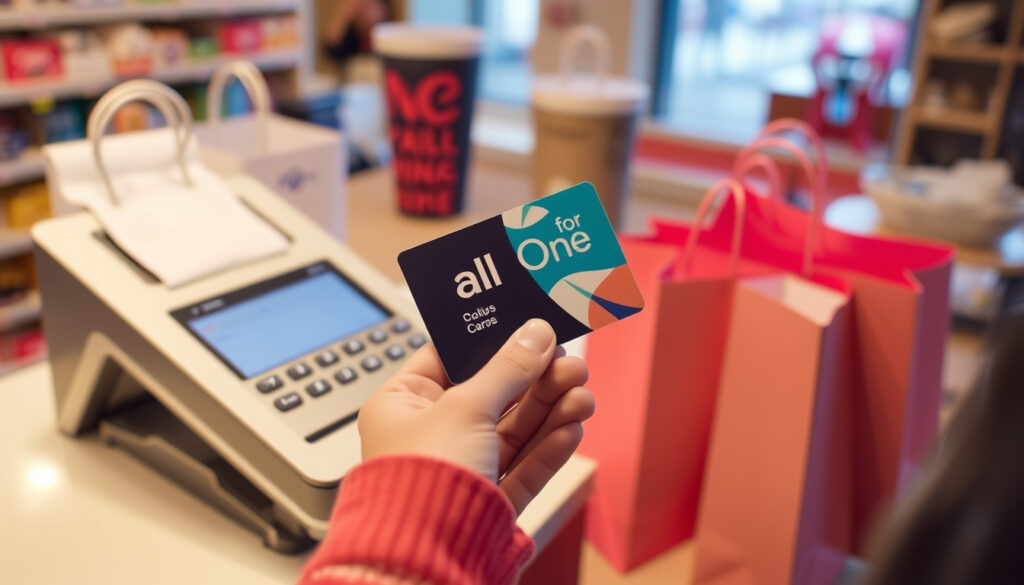
All for One Gift Card Guide: Where to Use, Check Balance & Redeem
There’s a moment when a gift card arrives in your wallet, and the first question is always the same: where can I actually spend it? For anyone holding a One4all gift card in Ireland, the answer covers thousands of outlets from high-street favourites to online shops. This guide pulls together everything you need – how to check your balance, activate the card, and redeem it across the country’s biggest retailers.
Funds safeguarded: Yes ·
Card types: Physical and digital ·
Balance check: Online, by phone, app
Quick snapshot
- Accepted at over 1.5 million locations worldwide, including thousands in Ireland (YouTube activation guide)
- Use in-store or online at participating retailers (YouTube guide)
- Online at one4all.com (YouTube balance check walkthrough)
- Phone: 1-888-246-9826 (YouTube activation guide)
- One4all Digital Wallet app (Google Play app page)
- Digital cards activate instantly on purchase (YouTube activation guide)
- Physical cards may need activation via phone or online (YouTube activation guide)
- Cannot transfer balance to a bank account (YouTube activation guide)
- No cash redemption except where required by law (YouTube activation guide)
Five key numbers define the One4all gift card’s value in Ireland, from its reach to its security.
| Attribute | Details |
|---|---|
| Accepted locations worldwide | Over 1.5 million (YouTube activation guide) |
| Funds protected | Yes, via safeguarding from purchase (YouTube activation guide) |
| Card types | Physical and digital (Google Play app page) |
| Minimum value | €15 (per quotes from official site) |
| Maximum value | €150 (per quotes from official site) |
Where can you use One4all Gift Card?
One4all gift cards are designed to work across a vast network of retailers, both in physical stores and online. The core advantage is flexibility – you’re not locked into a single brand.
Which retailers accept One4all in Ireland?
- High-street names such as Penneys, Argos, Brown Thomas, and TK Maxx (YouTube balance check walkthrough)
- Tesco Ireland accepts One4all cards (YouTube balance check walkthrough)
- Petrol stations vary – use the official store locator before visiting (YouTube activation guide)
While the network is broad, not every petrol station or independent shop participates. A quick check on the official site saves a wasted trip.
Can I use One4all online?
- Yes, at participating online retailers – enter your card number and CVV at checkout (YouTube activation guide)
- Digital cards can be used directly from email or text links (Google Play app page)
The pattern: One4all’s strength is breadth, not depth. You trade single-brand loyalty for a multi-store passport – ideal for those who want choice, but less so if you need a specific specialist retailer.
How do I redeem a One4all card?
Redeeming your One4all gift card is straightforward, but the process differs slightly depending on where you’re spending.
How to use One4all in-store
- Swipe or insert the physical card at the checkout terminal like any debit card (YouTube activation guide)
- If the amount is less than the purchase, inform the cashier and pay the difference with another card or cash (YouTube activation guide)
- Virtual copies loaded on the One4all app support tap-to-pay where contactless is accepted (Google Play app page)
How to use One4all online
- Select the card payment method and enter the 16-digit card number, expiry date (if shown), and 3-digit CVV from the back (YouTube balance check walkthrough)
- Digital cards provide these details via email or the app for easy copy-paste (Google Play app page)
The trade-off: In-store tap-to-pay requires the app; physical cards need the actual plastic. For online shoppers, the digital variant is more convenient.
How do I check my One4all Gift Card balance?
Keeping track of your remaining balance is essential to avoid declined transactions. Several methods are available.
Check balance online
- Visit one4all.com and click “Check Balance”. Enter the 16-digit card number and the 3-digit CVV from the scratch-off panel (YouTube balance check walkthrough)
- Instant display of remaining funds (YouTube transcript)
Check balance by phone
- Call 1-888-246-9826 (US number; Ireland customers may have an alternative – check your card packaging) (YouTube activation guide)
Check balance via One4all app
- Download the One4all Digital Wallet from Google Play (Google Play app page)
- Add your physical or digital card to view real-time balance and transaction history (Google Play app description)
The app offers the most convenience: live balance, tap-to-pay, and the ability to freeze funds if the card is lost.
Do I need to activate my One4all card?
Activation ensures your card is ready to use and protects the funds before you start spending.
Activation for digital cards
- Digital cards are activated automatically at the time of purchase – no extra step required (YouTube activation guide)
- You can start using the card immediately after receiving the email or text link (Google Play app page)
Activation for physical cards
- Physical cards may require activation – instructions are printed on the card carrier (YouTube activation guide)
- Activation can be done online at one4all.com or via the phone number on the sleeve (YouTube balance check walkthrough)
- Funds are safeguarded from the moment of purchase, even before activation (YouTube activation guide)
An unactivated physical card cannot be used. But because funds are protected from purchase, you won’t lose money if you delay activation – just don’t throw away the packaging with the instructions.
Can I put One4all into my bank account?
A common question for gift card holders who would rather have cash. The answer is clear.
Is it possible to transfer One4all balance to a bank account?
- No – One4all does not allow transferring the balance to a personal bank account (YouTube activation guide)
- Cash redemption is only provided where legally required (e.g., small remaining balances in some jurisdictions) (YouTube activation guide)
What happens to unused balance?
- The remaining balance stays on the card and can be used for future purchases (YouTube activation guide)
- One4all cards reportedly do not expire for 24 months (terms may vary by region) (YouTube activation guide)
The implication: A One4all card is a spending tool, not a cash alternative. If you want cash, sell or trade the card on secondary marketplaces – but be aware of fees and risks.
Step-by-step: Maximise your One4all card
Follow these steps to get the most from your One4all gift card, from activation to final spend.
- Activate – If you have a physical card, complete activation online or by phone immediately after purchase.
- Load into app – Download the One4all Digital Wallet and add your card for real-time balance tracking and contactless payments (Google Play app page).
- Check the retailer list – Visit the official store locator to confirm the shop you want accepts One4all (use the app or website) (YouTube activation guide).
- Shop in-store or online – Present the physical card or use the digital details at checkout. For online, enter the card number and CVV like a credit card (YouTube balance check walkthrough).
- Monitor your balance – Check after each purchase via the app or online to avoid surprises.
- Use the full balance – If your purchase is less than the card value, ask the cashier to process the remainder on the card. For leftover small amounts, combine with other spending.
Irish shoppers with a One4all card: the app is your best friend. It turns a plastic card into a mobile payment tool and keeps you in control of your balance.
Confirmed facts vs. What’s unclear
Confirmed facts
- One4all gift cards are accepted at over 1.5 million locations worldwide, including major Irish retailers (YouTube activation guide).
- Balance can be checked online, by phone, or via the app (YouTube balance check walkthrough).
- Digital cards are activated upon purchase (YouTube activation guide).
- Balance cannot be transferred to a bank account (YouTube activation guide).
What’s unclear
- The exact list of all petrol stations that accept One4all may vary by location (YouTube activation guide).
- Whether Tesco Ireland accepts all card types (physical vs. digital) uniformly requires verification at the store (YouTube balance check walkthrough).
One4all gift cards are accepted in thousands of outlets nationwide and online, including Penneys, Argos, Brown Thomas, TK Maxx and many more.
— One4all official website (cited via YouTube balance check walkthrough)
One4all Digital Gift Card can be spent in the same retailers nationwide and online stores as the classic One4all Gift Card. Available from €15 to €150.
— An Post (referenced in Google Play app page)
With a One4all card in your hand, you have a flexible spending tool that works across Ireland’s biggest brands. The key is to activate it (if physical), load it into the app for easy tracking, and always check acceptance before heading out. For the average Irish shopper, the choice is clear: use the card where it works best, and avoid trying to turn it into cash. That path leads nowhere.
For a detailed walkthrough of checking your One4all gift card balance, the guide at Weekly Review covers all the steps you need.
Frequently asked questions
Can I use my One4all gift card for online shopping?
Yes, at participating online retailers. Enter the card number and CVV during checkout (YouTube activation guide). Digital cards are delivered via email with all details ready.
Is there an expiry date on One4all gift cards?
One4all cards reportedly do not expire for 24 months from the date of purchase, though terms may vary by region (YouTube activation guide).
Can I return a One4all gift card or get a refund?
One4all gift cards are generally non-refundable once purchased. Check the terms of the retailer where you bought it, as some offer exchange policies (YouTube activation guide).
How long does it take to receive a digital One4all gift card?
Digital cards are typically delivered instantly via email or text after purchase (Google Play app page).
Can I use my One4all gift card at petrol stations in Northern Ireland?
Acceptance in Northern Ireland depends on the specific station. The official store locator is the best way to confirm (YouTube activation guide).
What should I do if my One4all physical card is lost or stolen?
Report the loss immediately via the One4all app or customer service. A replacement may be issued for a fee (reportedly $5 in some regions) (YouTube activation guide). The app includes a freeze function to protect funds.
Are there any fees associated with using a One4all gift card?
No fees for redemption in-store or online. A replacement fee applies for lost/stolen cards. Inactivity fees are not mentioned in standard terms (YouTube activation guide).
More related posts
 Alun Armstrong: Actor, New Tricks & Multiple Sclerosis
 Interest Rate Predictions UK: 2026 Forecast & Mortgage Guide
 Clare Holman: Biography, Vera Role, Current Projects
 Translate German to English – Best Free Tools Guide
 Free IQ Test Online – Instant Results No Email
 Callum Wilson: Stats, Clubs, Age, Wife, and Career
 Michael Cooper Jr.: Age, ADHD, and Role in Netflix’s Forever
 Apple AirPods 3rd Gen: Worth It? Price, Specs & Comparisons